
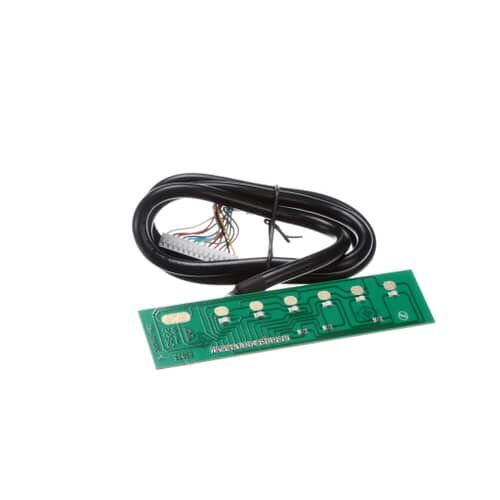
The Samsung DE81-09578A Range Keyboard PCBA allows users to manage the range through settings like temperature, timers, and other features and functions in a way that it receives signals from the keyboard inputs and relays them to the control system of the range without any interruption or delay. The advantage of this are provides a stable and accurate control and thus the overall user experience is increased and the performance of the range is increased.
Step 1: The necessary tools should be assembled: Phillips screwdriver, needle-nose pliers, and the replacement Samsung DE81-09578A SVC-KEYBOARD PCBA.
Step 2: It should ensure that your computer is powered down and disconnected from the electrical outlet prior to beginning.
Step 3: The screws securing the back cover of your computer should be carefully detached using a Phillips screwdriver. Then, the back cover should be gently lifted away.
Step 4: The SVC-KEYBOARD PCBA should be identified and extracted by gently pulling with a set of needle-nose pliers.
Step 5: The new SVC-KEYBOARD PCBA should be obtained and its cables should be attached to the motherboard.
Step 6: The SVC-KEYBOARD PCBA should be fixed in position by reinstalling the screws.
Step 7: The back cover of your computer should be reattached and its screws should be secured using the Phillips screwdriver.
Step 8: The power source should be reconnected and your computer should be switched on.
Step 9: The functionality of your new SVC-KEYBOARD PCBA should be verified to ensure it operates correctly.
Congratulations! Your Samsung DE81-09578A SVC-KEYBOARD PCBA has been successfully replaced.
Please note that these instructions are served as general guidance and should always be utilized alongside the manufacturer's manual, if one is available.
