The store will not work correctly in the case when cookies are disabled.
We collect user information to provide a better user experience and protect the security of our website. By continuing to use our website, you acknowledge the use of cookies.
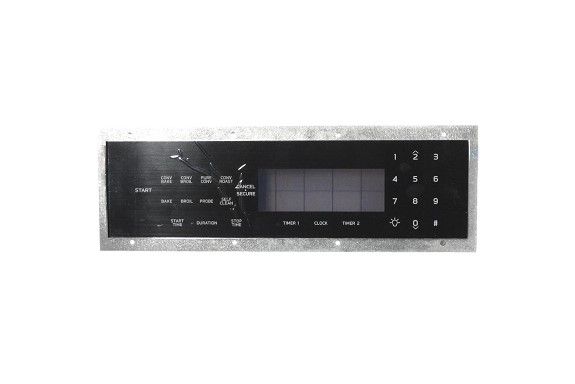
The Samsung DE81-06934A Range Service Membrane Panel, which serves as the control hub for several functions, is an essential part of your Samsung range. You may control the cooktop settings, timer, oven temperature, and other functions with this interface. Inaccurate temperature readings, non-responsive buttons, and even total range failure can all be indications of a faulty membrane panel. You may keep enjoying the ease of simple controls and restore your range's full performance by replacing a malfunctioning membrane panel with the Samsung DE81-06934A. Though DIY enthusiasts can replace the membrane panel, it's crucial to note that, especially for those who are new with appliance repair processes, visiting a competent appliance repair professional is suggested.
What maintenance is required for the Samsung DE81-06934A SVC Membrane Panel Assembly?
Regularly wipe the range panel with a soft, damp cloth to remove grease and spills. Avoid chemicals that can damage buttons. Inspect for loose connections and ensure the panel stays dry. Proper care prevents unresponsive controls and electrical hazards.
What are common issues with the Samsung DE81-06934A SVC Membrane Panel Assembly?
Unresponsive or sticking buttons.
Erratic or delayed control signals.
Display not lighting or flickering.
Intermittent operation of range operations.
Installation Steps
Step1: Disconnect power supply and unplug range.
Step2: Remove control panel cover carefully using proper tool.
Step3: Detach old membrane ribbon connector from board.
Step4: Align and install new membrane assembly onto panel.
Step5: Secure panel and reconnect wiring firmly in place.
Step6: Restore power and test all functions properly.