
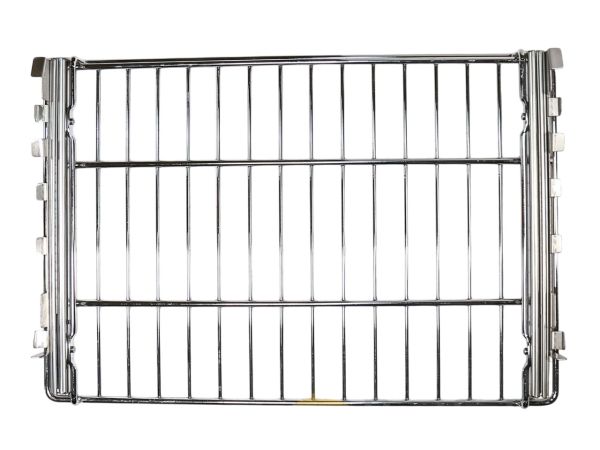
Samsung DE81-06247A Range SVC 30" Glide Rack

Special Price $276.41 Regular Price $346.95
In stock
Available Quantity:   1
SKU
DE81-06247A

Product Description

The Samsung DE81-06247A Range SVC 30” Glide Rack with a smooth glide feature to enable users to access food in their oven without struggling to lift the racks. The glide system provides a firm grip when pulling the rack in and out making it suitable for roasting, baking or broiling. It reduces the chances of spilling hot food, which enhances safety and convenience in the process.
Glides,
Manufacturer
✓ This Product Replaces: DE81-07982A
https://www.hnkparts.com/media/catalog/product/d/e/de81-06247a-87143.jpg

This Part Fits the Following Models (1)

Manufacturer Name: Samsung
Product Number: DE81-06247A
OEM Part Number: DE81-06247A
Product Description: Svc-30In Glide Rack

Choose the best Home Appliance parts and supplies from HnKParts!

  • Same Day Shipping

  • Best Quality And Best Price

  • Wide Range of Inventory

  • Best Customer Service

Have More Questions or Need Help to Place The Order?
Reach us at (866)723-0907 or [email protected]

Write Your Own Review
You're reviewing:Samsung DE81-06247A Range SVC 30" Glide Rack
Your Rating
Customer Questions
What maintenance is required for the Samsung DE81-06247A SVC Glide Rack?

Check that the glide rails are aligned and lubricated if manufacturer-approved. Wipe the rack to remove spills or debris. Inspect for smooth extension and retraction, and ensure rollers or bearings are intact for even support of cookware.

What are common issues with the Samsung DE81-06247A SVC Glide Rack?

  • Rack sticking or hard to move.
  • Uneven glide or sagging.
  • Cookware tipping on rack.
  • Difficulty fully extending.
  • Rack jamming in rails.

Installation Steps

Step1: Ensure the range is completely cool and unplugged.

Step2: Remove existing range racks carefully.

Step3: Align the glide rack brackets with range track slots.

Step4: Slide the rack fully into place.

Step5: Check smooth movement and proper fit.

Step6: Restore power and test rack operation.
