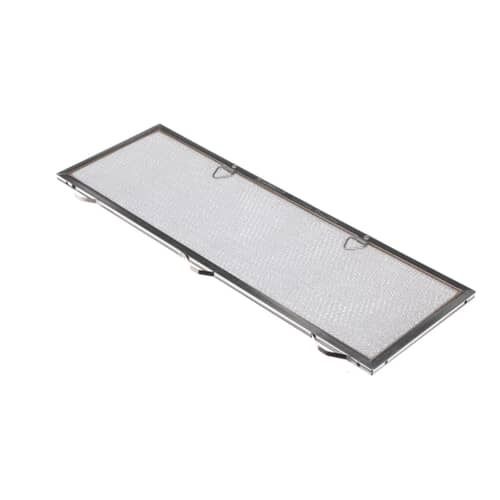
The Samsung DE81-05994A Range SVC Filter 20 875 X 7 090 operates in a way that it collects grease and other particulate matter which can block the range vent and hinder proper circulation of air. It helps in maintaining proper circulation of air in the range reducing the damage and at the same time improving the quality of air.
Step 1: Prioritize Safety: Prior to initiating the replacement of your Samsung DE81-05994A SVC-FILTER 20 875 X 7 090 screen, it should ensure that the device is switched off and disconnected to prevent any risk of electric shock.
Step 2: Acquire the Replacement Parts: The correct replacement component for your device should be secured; the part number can be found in the manual or on the device itself.
Step 3: Disassemble the Device: The device should be carefully taken apart to access the existing screen.
Step 4: Extract the Old Screen: After it is located, the old screen should be gently detached. It should ensure that no other components are harmed during this process.
Step 5: Position the New Screen: With the old screen removed, the new screen should be delicately placed into the device, being cautious not to damage it.
Step 6: Reconstruct the Device: The device should be carefully put back together, confirming that all components are firmly secured.
Step 7: Verify the Device: The device should be connected and powered on to ensure that your efforts have been successful.
Step 8: Relish: At last, relaxation and appreciation of the results of your hard work can be enjoyed. Congratulations!
Please note that these instructions are intended for general reference and should always be utilized alongside the manufacturer's manual, if it is available.