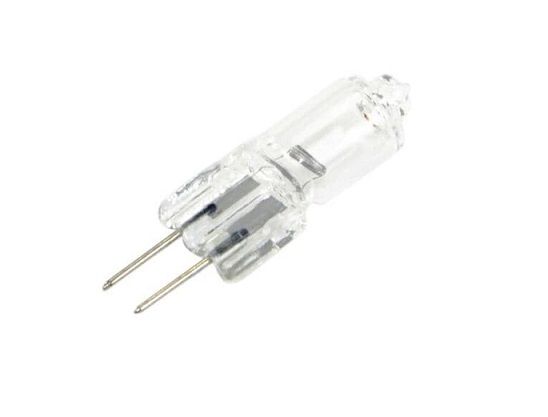
The Samsung DE81-05798A Range Service Bulb is a genuine replacement item made particularly for Samsung ranges. This 20-watt halogen light bulb runs on 12 volts and emits strong, clear light that illuminates your oven cavity and makes it easier to view your food cooking. This keeps the oven door from having to be opened often to check on your food, which can reduce oven temperatures and lengthen cooking times. It also helps to maintain even cooking. The energy-efficient nature of the bulb can also help you use less energy and pay less for power. Everything else considered, the Samsung DE81-05798A Range Service Bulb is a premium, necessary replacement component that can support you in keeping your Samsung range operating at peak efficiency and performance.
Step 1: Start by powering down your appliance and having it unplugged from the electrical supply to guarantee that no current flows through.
Step 2: Clear out the appliance and have any shelves or components taken out.
Step 3: Find the Samsung DE81-05798A SVC-BULB HALOGEN 12V 20W-HAL and have it gently extracted using tweezers or needle-nosed pliers.
Step 4: Detach the holder situated at the rear of the Bulb and have the old Bulb removed.
Step 5: Place the new bulb into the holder and have it verified that it is firmly attached.
Step 6: Secure the holder back onto the bulb.
Step 7: Reinstall any shelves or components that were previously removed.
Step 8: Plug your appliance back into the electrical supply and have it switched on.
Step 9: Check the Samsung DE81-05798A SVC-BULB HALOGEN 12V 20W-HAL to confirm it is operated correctly.
Step 10: If the bulb fails to function as intended, have the appliance powered down and have the steps repeated.
Please remember that these instructions are served as general guidance and should always be utilized alongside the manufacturer's manual, if accessible.