The store will not work correctly in the case when cookies are disabled.
We collect user information to provide a better user experience and protect the security of our website. By continuing to use our website, you acknowledge the use of cookies.
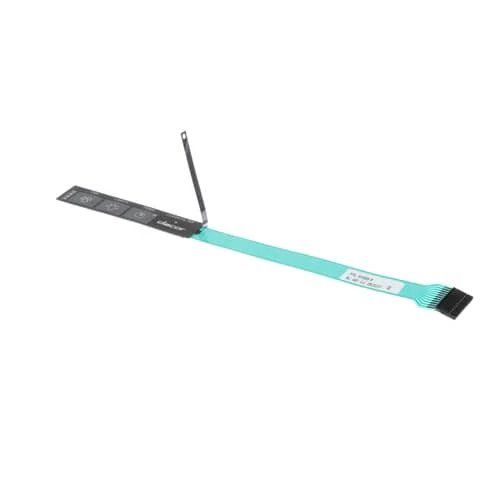
The Samsung DE81-05296A Range Service Membrane Switch Panel is an essential component of your Samsung range. This panel has buttons and knobs that allow you to adjust the temperature, choose between different cooking settings, and set timers, among other features of your range. Your ability to operate your range might be severely hampered by a defective membrane switch panel. It's possible for buttons to stop working or for the panel to completely ignore your selections. In these situations, you may get your range fully functional again by swapping out the malfunctioning panel for the Samsung DE81-05296A Svc Membrane Switch Panel. This way, you can continue utilizing your range for all of your cooking requirements.
Step 1: To initiate the replacement of the Samsung DE81-05296A SVC-Membrane Switch Panel, it should ensure that the following tools are prepared:
Step 2: The appliance should be disconnected from the power source to prevent electric shock. To reveal the switch panel, it should be found situated behind the control panel. Your Phillips head screwdriver should be utilized to take out the screws securing the control panel to the wall, then it should be carefully lifted away.
Step 3: After the control panel has been removed, the switch panel will be visible. To detach the power cords from the rear of the switch panel, pliers should be employed to loosen the clamps that secure them. With the clamps loosened, the power cords can then be removed from the switch panel.
Step 4: The new Samsung DE81-05296A SVC-Membrane Switch Panel should be taken and the power cords should be connected to its back. It should ensure that the clamps are firmly secured to guarantee a safe connection. Once the cords are attached, the new switch panel can then be positioned in the same location as the previous one.
Step 5: The last step involves the reattachment of the control panel. The screws previously removed should be utilized and fastened securely. After all screws are tightened, the appliance can be plugged back in and the switch panel should be checked to confirm its functionality.
Please remember, these instructions serve as general guidance and should always be utilized alongside the manufacturer's manual, if accessible.