
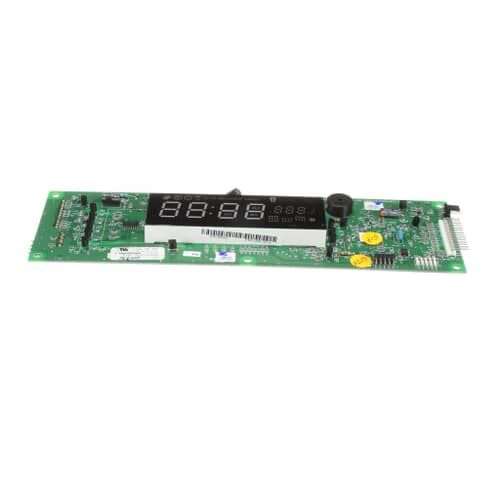
Samsung DE81-04938A Range SVC Display Module Single

Special Price $242.93 Regular Price $301.79
In stock
Available Quantity:   14
SKU
DE81-04938A
✓ This Product Replaces: 106736

Product Description

The Samsung DE81-04938A Range SVC Display Module Single acts as a monitor and control panel where users can view cooking settings, time and temperature among others. The display module that is connected to the range’s control board helps users to control the appliance’s functions without any difficulty and makes the cooking process efficient. In baking, broiling or any other settings, it makes the use of the range easier and convenient when used.
Manufacturer

Manufacturer Name: Samsung
Product Number: DE81-04938A
OEM Part Number: DE81-04938A
Product Description: Svc-Display Module Single

Choose the best Home Appliance parts and supplies from HnKParts!

  • Same Day Shipping

  • Best Quality And Best Price

  • Wide Range of Inventory

  • Best Customer Service

Have More Questions or Need Help to Place The Order?
Reach us at (866)723-0907 or [email protected]

Write Your Own Review
You're reviewing:Samsung DE81-04938A Range SVC Display Module Single
Your Rating
Customer Questions
What maintenance is required for the Samsung DE81-04938A SVC Display Module Single?

Regularly wipe it with a soft, dry cloth to remove dust and fingerprints. Avoid using harsh chemicals or water. Ensure connections are secure and inspect for any loose wiring. Proper maintenance prevents display errors and ensures safe operation.

What are common issues with the Samsung DE81-04938A SVC Display Module Single?

  • Display not lighting up or dimming unexpectedly.
  • Unresponsive touch or control buttons.
  • Error codes appearing intermittently.
  • Flickering or distorted screen visuals.

Installation Steps

Step1: Disconnect power supply to range at breaker to ensure safety before starting.

Step2: Remove control panel cover screws carefully using proper proper tool.

Step3: Detach old display module connectors gently without pulling wires.

Step4: Install new module and reconnect wiring firmly in correct positions.

Step5: Secure panel back and restore power to test operation carefully.