The store will not work correctly in the case when cookies are disabled.
We collect user information to provide a better user experience and protect the security of our website. By continuing to use our website, you acknowledge the use of cookies.
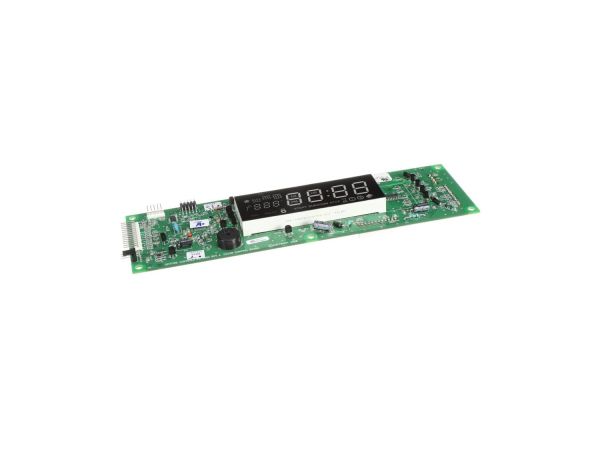
The Samsung DE81-04935A is a replacement Service Display Module Kit created exclusively for Samsung product lines. This vital part is in charge of presenting important data on your range's control panel, such as cooking times, temperatures, and settings. You may get full functionality and control back into your appliance by replacing your present display with the DE81-04935A kit if it is flickering, malfunctioning, or displaying inaccurate information. Using this authentic Samsung component will guarantee compatibility and a smooth installation procedure. If you replace a malfunctioning display yourself rather than using a professional repair agency, it might end up being less expensive. Your cooking experience will be improved with a repaired display, as it will allow you to see and manage your Samsung range with clarity.
Step 1: The power cord of your Samsung appliance is disconnected from the outlet.
Step 2: Any electrical components obstructing access to the rear of the appliance, including knobs and power cords, are taken out.
Step 3: The door of the Samsung appliance, which is situated on the side panel, is opened.
Step 4: The Samsung DE81-04935A SVC-DISPLAY MODULE KIT is identified within the appliance.
Step 5: The screws securing the module are removed.
Step 6: The module is gently extracted from the appliance.
Step 7: The new module is inserted into the appliance and fastened securely with screws.
Step 8: The appliance door is closed and all electrical components are reconnected.
Step 9: The power cord is reconnected to the outlet and the appliance is turned on.
Step 10: The display is verified to ensure the new module is functioning correctly.
It is essential to remember that these instructions are served as general guidance and should always be utilized alongside the manufacturer's manual, if available.