
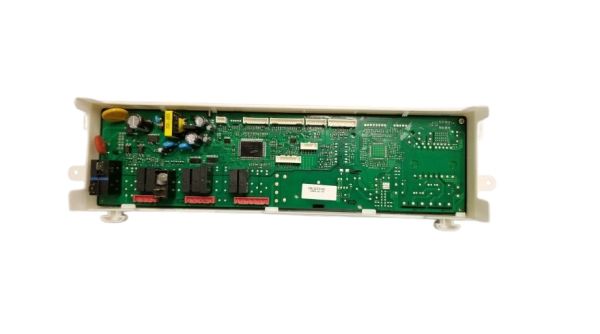
The Samsung DD82-01337B PCB Main Control Board is used for controlling the flow of operations in the dishwasher and its efficiency. This is an electronic control board that controls basic functions such as washing, water heating, drying, and energy consumption and involves analyzing signals from different sensors and switches and making changes in the system’s parameters to ensure smooth and accurate functioning the automation helps in increasing the reliability of the control board, the performance of cleaning and the durability of the unit.
Please, mind that only logged in users can submit questions
Installation Steps
Step 1: The Samsung dishwasher should be disconnected from the electrical outlet to maintain safety.
Step 2: The water supply linked to the dishwasher should be turned off to prevent any flooding issues.
Step 3: The screws found on the bottom side of the dishwasher door should be taken out, then the interior panel of the dishwasher should be carefully detached.
Step 4: The control board should be located, typically situated in the upper right corner of the dishwasher’s interior.
Step 5: The wiring harness connected to the PCB main assembly should be unplugged.
Step 6: The screws should be removed and the PCB main assembly should be taken out from its mounting bracket.
Step 7: The new DD82-01337B Samsung dishwasher PCB main assembly should be placed securely and the wiring harness should be reconnected firmly.
Step 8: The door panel should be reattached and the dishwasher should be plugged back into the power source.
Step 9: The dishwasher's operation should be verified to confirm it functions correctly.
It is important to note that these instructions are served as general guidance and should always be referenced alongside the manufacturer's manual, if available.
