
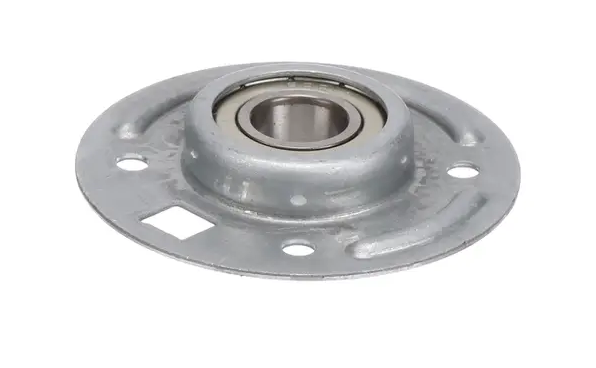
The Samsung DC97-15720A Dryer Drum Housing Bearing is used to minimize friction as well as damage to the drum so that it can rotate without any problem. It holds the drum as it rotates and also helps in reducing any form of wobbling and noise that may be produced. It is made to be sturdy and ensures that the drying efficiency is not compromised and the longevity of the appliance is also increased.
Step 1: The power to the Samsung dryer is to be disconnected and it is to be detached from the electrical outlet.
Step 2: The back panel of the dryer is to be gently taken off using a Phillips head screwdriver.
Step 3: The screws that attach the drum bearing support to the dryer cabinet are to be removed.
Step 4: The drum bearing support along with the drum roller is to be taken out.
Step 5: The wiring harnesses are to be unplugged and the two screws that hold the drive motor to the back of the dryer cabinet are to be taken out.
Step 6: The motor is to be extracted from the cabinet and the mounting screw from the blower housing is to be removed.
Step 7: The blower housing is to be slid out of the cabinet, then the wiring harness and thermal fuse are to be disconnected.
Step 8: The two screws that secure the bearing assembly to the dryer cabinet are to be taken out.
Step 9: The bearing assembly is to be gently extracted from the cabinet and the new DC97-15720A Samsung dryer housing bearing assembly is to be placed in its position.
Step 10: All components are to be reassembled in the reverse sequence and it is to be ensured that everything is fastened securely.
Step 11: The power supply is to be reconnected, the dryer is to be switched on, and it is to be verified that the new bearing assembly is functioning properly.
Please note, these instructions are to serve as general guidance and should always be utilized alongside the manufacturer's manual, if accessible.
