The store will not work correctly in the case when cookies are disabled.
We collect user information to provide a better user experience and protect the security of our website. By continuing to use our website, you acknowledge the use of cookies.
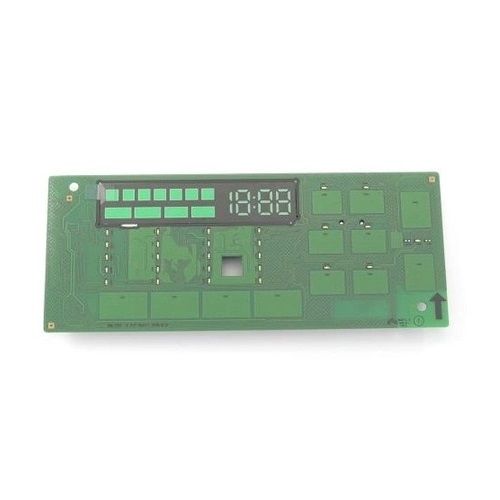
The Samsung DC92-02390C Washer/Dryer Module-Fcd_Dry is an essential component that improves the performance of Samsung washer/dryer systems. This module is an important part of the drying process, ensuring that it runs smoothly and consistently. By managing numerous functions within the appliance, users may get comprehensive and effective drying outcomes on each cycle. The module improves the overall operation of the washer/dryer machine, providing exact control over drying temperatures and times. With its innovative technology and smooth integration with Samsung appliances, consumers may enjoy quicker drying times, lower energy use, and better clothing care. Whether handling ordinary laundry or sensitive materials, this module offers constant performance and outstanding drying outcomes, making it an essential component for Samsung washer/dryer users.
What maintenance is required for the Samsung DC92-02390C User Interface?
Regularly wipe the dryer user interface with a soft, dry cloth to remove dust and residue. Avoid using chemicals or excessive moisture, which can damage the electronics. Ensure buttons are not pressed too forcefully to maintain responsiveness and prevent malfunctions.
What are common issues with the Samsung DC92-02390C User Interface?
Unresponsive buttons or touch controls.
Display screen flickering or not lighting up.
Error codes appearing unexpectedly.
Inconsistent or delayed command execution.
Installation Steps
Step1: Turn off power and unplug dryer for safety.
Step2: Remove top cover and control panel fascia carefully.
Step3: Disconnect existing user interface harness and note wiring positions.
Step4: Install new user interface board and reconnect all connectors firmly.
Step5: Reassemble panel and secure all screws.
Step6: Restore power and test all buttons and display operations.