
The store will not work correctly in the case when cookies are disabled.
We collect user information to provide a better user experience and protect the security of our website. By continuing to use our website, you acknowledge the use of cookies.
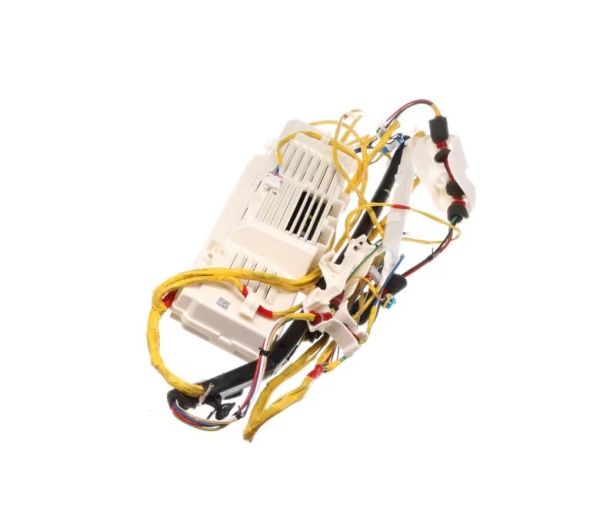
The Samsung DC92-02379C Washer/Dryer PCB main control board acts as the primary nervous system for Samsung washer/dryer machines, coordinating their many tasks with accuracy and efficiency. This critical component controls the appliance's activities, such as wash cycles, temperature settings, and drying functions. This control board provides smooth performance and excellent outcomes with each use since it effortlessly integrates into the appliance's architecture. Its innovative design and advanced technologies provide customers more control and flexibility over their laundry routines, allowing them to adapt settings to individual requirements while still providing consistent, high-quality results. Furthermore, the Samsung DC92-02379C PCB main control board simplifies operation, improving the user experience and reducing the potential of faux pas or malfunctions.

What maintenance is required for the Samsung DC92-02379C PCB Main Control Board?
Periodically inspect the board for loose connectors, burn marks, or moisture accumulation. Gently clean dust with a soft brush and confirm all wiring is securely attached. Test buttons and functions to verify proper responses.
What are common issues with the Samsung DC92-02379C PCB Main Control Board?
Washer not powering on.
Buttons unresponsive.
Cycles stopping mid-operation.
Functions activating incorrectly.
Installation Steps
Step1: Unplug the washer to prevent electrical hazards.
Step2: Remove the control panel to access the PCB.
Step3: Disconnect all wiring from the old PCB.
Step4: Take out the old PCB and install the new PCB.
Step5: Reconnect all wiring securely and fasten mounting screws.
Step6: Reassemble the panel, restore power, and test washer functions.