
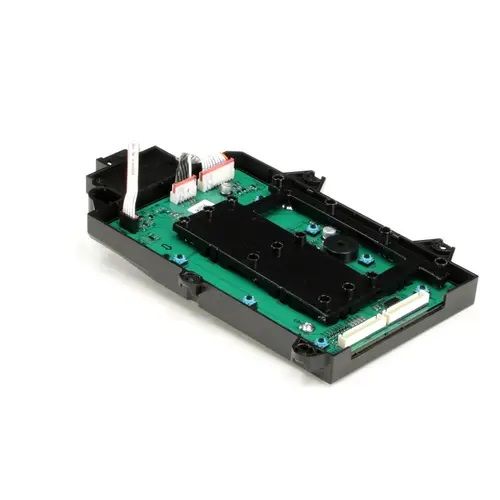
Samsung DC92-01992F Washer Display Control Board

Special Price $216.90 Regular Price $273.80
In stock
Available Quantity:   37
SKU
DC92-01992F

Product Description

The Samsung DC92-01992F Display PCB Main Control Board is used for controlling and regulating the flow of washing machine functions. This is an electronic board that receives signals controls the cycles and interacts with other parts of the machine for efficiency and created for effectiveness and durability to increase the accuracy of washing, control energy consumption, and provide a seamless operation, that leads to consistent effectiveness of washing and design also ensure that the washer enough to perform the washing tasks.
Manufacturer

https://www.hnkparts.com/media/catalog/product/d/c/dc92-01992f_samsung_hnkparts_1.jpg

This Part Fits the Following Models (1)

Manufacturer Name: Samsung
Product Number: DC92-01992F
OEM Part Number: DC92-01992F
Product Description: Pcb-Display

Choose the best Home Appliance parts and supplies from HnKParts!

  • Same Day Shipping

  • Best Quality And Best Price

  • Wide Range of Inventory

  • Best Customer Service

Have More Questions or Need Help to Place The Order?
Reach us at (866)723-0907 or [email protected]

Write Your Own Review
You're reviewing:Samsung DC92-01992F Washer Display Control Board
Your Rating
Customer Questions
What maintenance is required for the Samsung DC92-01992F Display Control Board?

Keep the washer control board dry and free from dust or detergent residue. Gently clean the exterior with a soft, dry cloth. Inspect connectors for corrosion or looseness. Proper care ensures accurate display readings and avoids electrical malfunctions.

What are common issues with the Samsung DC92-01992F Display Control Board?

  • Washer unresponsive or flickering display.
  • Incorrect cycle indications.
  • Washer not starting or stopping unexpectedly.
  • Error codes appearing frequently.

Installation Steps

Step1: Unplug the washer and shut off the water supply.

Step2: Remove the top or front control panel cover, depending on the model.

Step3: Disconnect the wiring harness from the old display board carefully.

Step4: Unscrew and remove the faulty control board.

Step5: Position the new board, align mounting points, and secure screws.

Step6: Reconnect wiring firmly, reinstall panel cover.

Step7: Restore power and run a test cycle.