
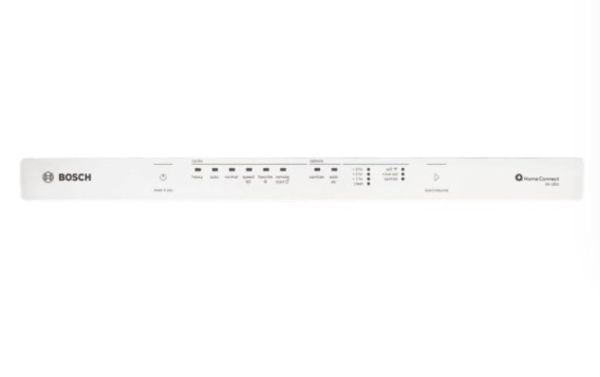
Bosch 20004359 Dishwasher Control Panel Facia

Special Price $63.96 Regular Price $88.91
In stock
Available Quantity:   70
SKU
20004359

Product Description

The Bosch 20004359 Dishwasher Control Panel Facia supports the user interface of an appliance on the front door. The purpose is to deliver a finished surface to control buttons and displays, and shield electronic components under the surface against moisture. The facia attaches to the front of the door of the dishwasher and is aligned with the control board and button assemblies, and holds in place with specific fasteners. It assists in ensuring a stable operation of the buttons and adds to the movements of the user and the control system of the dishwasher.
Manufacturer

https://www.hnkparts.com/media/catalog/product/2/0/20004359.jpg
Write Your Own Review
You're reviewing:Bosch 20004359 Dishwasher Control Panel Facia
Your Rating
Customer Questions
What maintenance is required for the Bosch 20004359 Control Panel Facia?

Wipe the facia gently with a soft microfiber cloth to remove fingerprints and detergent residue. Avoid abrasive cleaners that may damage markings. Ensure proper alignment after installation. Inspect periodically for secure attachment to maintain clear visibility and functional support.

What are common issues with the Bosch 20004359 Control Panel Facia?

  • Fading or worn control markings.
  • Buttons not responding during cycles.
  • Display panel remaining blank or flickering.
  • Labels or icons fading over time.

Installation Steps

Step1: Disconnect electrical power at the breaker before installation.

Step2: Open the dishwasher door and remove the inner door panel.

Step3: Carefully detach the existing facia by releasing clips or screws.

Step4: Align the new control panel facia and secure it evenly.

Step5: Reassemble the door, restore power, and test control responsiveness.