The store will not work correctly in the case when cookies are disabled.
We collect user information to provide a better user experience and protect the security of our website. By continuing to use our website, you acknowledge the use of cookies.
Observance of Labor day 09/07, Monday we are closed [No shippings and deliveries ], Orders received after 3.00pm CST on 09/04/2026 will be shipping out on Tuesday 09/08/2026.
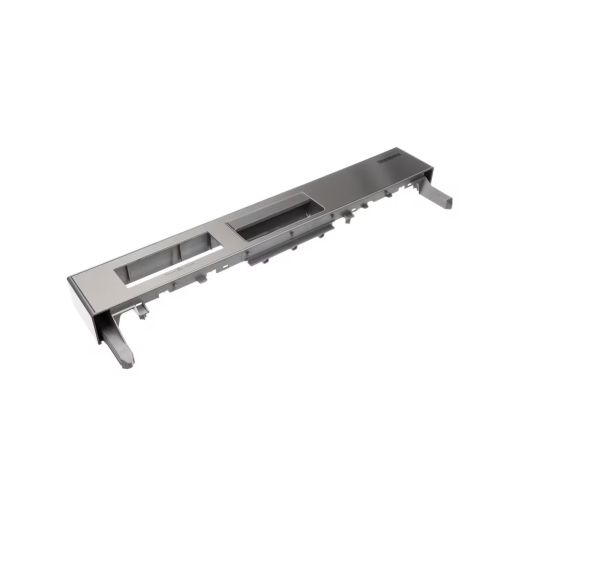
The Blomberg 1750660158 Dishwasher Panel Group DWT 28500 SS controls and coordinates the appliance functions. It operates by relaying user inputs via its internal circuitry to control wash cycles, water flow, and timing. It is placed on the front of the dishwasher door, and it is fixed on the internal wiring that is linked to other parts, such as the control board, make ensure that all the appliance systems are working.
What maintenance is required for the Blomberg 1750660158 Control Panel?
Regularly clean the control panel using a soft, damp cloth to remove dirt and residue. Avoid harsh chemicals to prevent damage to buttons or display. Ensure the dishwasher is powered off before cleaning for safety. Inspect for unresponsive buttons or wear periodically.
What are common issues with the Blomberg 1750660158 Control Panel?
Unresponsive or stuck buttons.
Display not lighting up or flickering issues.
Incorrect cycle selection or failure to start issues.
Loose or faulty electrical connections.
Control panel not communicating with main board.
Installation Steps
Step1: Turn off the dishwasher power at the circuit breaker and unplug the unit.
Step2: Open the dishwasher door and remove the inner door screws securing the outer panel.
Step3: Carefully disconnect the wiring harness from the old control panel.
Step4: Align and install the new control panel, then reconnect all wire connections securely.
Step5: Reattach the door screws, restore power, and test all control functions for proper operation.