The store will not work correctly in the case when cookies are disabled.
We collect user information to provide a better user experience and protect the security of our website. By continuing to use our website, you acknowledge the use of cookies.
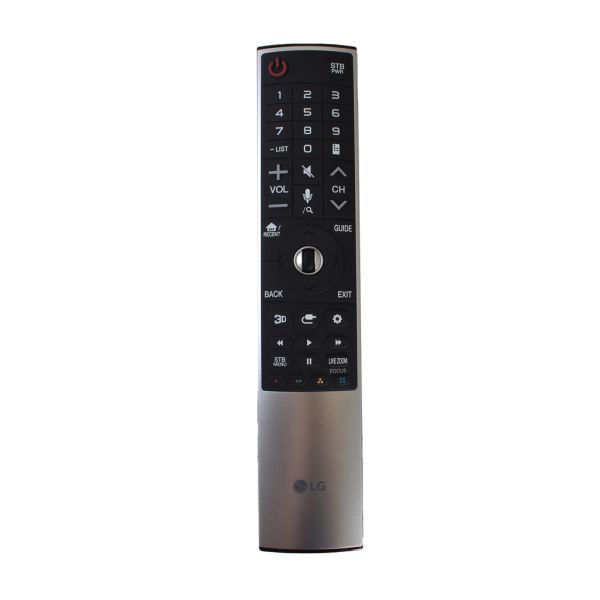
The LG AKB75455602-Remote Controller Assembly is used to transmit signals to television. Button is pressed, and remote transmits an IR signal that corresponds to a particular function like power on/off, volume control, channel changing, or input. Simple to control the smart TV functions such as the streaming apps and other menus to enhance the viewing process. The remote is pre-programmed and does not require any programming to be done, just insert the batteries and start using it.
Step 1: Verify your model number. The specific model of your LG Television will dictate which remote control is suitable. The model number for the AKB75455602 LG TV remote is located on the rear side of the remote. If you are uncertain about your television model, your owner's manual should be consulted.
Step 2: Acquire a compatible remote control. Once your television's model number has been confirmed, remotes compatible with the AKB75455602 can be looked for online. Prices should be compared and user feedback should be read prior to making a purchase.
Step 3: Remove the batteries. After your new remote control arrives, any existing batteries should be taken out and fresh ones should be replaced.
Step 4: Pair your new remote. Most LG televisions come equipped with an integrated infrared receiver, enabling your new remote control to be paired without extra programming. The remote should be directed towards the infrared receiver situated in the lower left corner of your television and any button should be pressed.
Step 5: Verify the new remote. It should ensure that your new remote has been successfully paired by testing its functionality. Your TV should be switched to a known channel and it should be confirmed if it operates correctly.
Please be aware that these instructions serve as general guidance and should always be utilized alongside the manufacturer's manual, if accessible.