
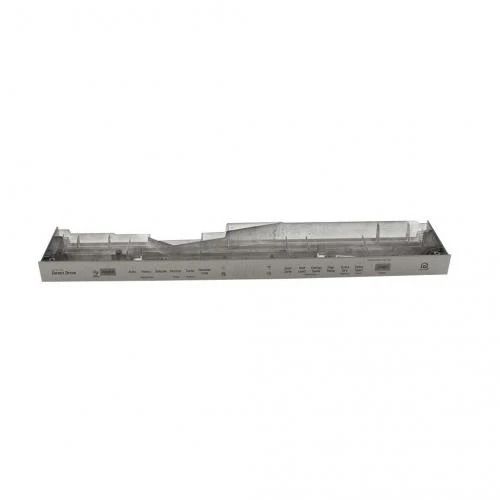
LG AGM75469902 Dishwasher Control Panel & Display PCB

Special Price $184.17 Regular Price $231.95
In stock
Available Quantity:   21
SKU
AGM75469902

Product Description

The LG AGM75469902 Dishwasher Control Panel & Display PCB is a product that has smooth functioning and effective command. This component is the main control panel for the washing process as it enables the user to choose the wash cycle, set parameters, and observe the progress. It sends signals to the dishwasher’s system regarding the commands given by the user while at the same time providing updates on the dishwasher’s status for efficiency. It is specifically made for durability and increases the convenience and longevity of the dishwasher.
Manufacturer

https://www.hnkparts.com/media/catalog/product/a/g/agm75469902_lge_hnkparts.png

This Part Fits the Following Models (4)

Manufacturer Name: LGE
Product Number: AGM75469902
OEM Part Number: AGM75469902
Product Description: Panel+Display Pcb

Choose the best Home Appliance parts and supplies from HnKParts!

  • Same Day Shipping

  • Best Quality And Best Price

  • Wide Range of Inventory

  • Best Customer Service

Have More Questions or Need Help to Place The Order?
Reach us at (866)723-0907 or [email protected]

Write Your Own Review
You're reviewing:LG AGM75469902 Dishwasher Control Panel & Display PCB
Your Rating
Customer Questions
What maintenance is required for the LG AGM75469902 Control Panel & Display PCB?

Run periodic function checks to confirm all cycle selections activate correctly. Keep the control surface protected from direct water exposure. Monitor display readability during operation, and switch off household power before removing the panel for servicing.

What are common issues with the LG AGM75469902 Control Panel & Display PCB?

  • Buttons not responding properly.
  • Display showing incomplete information.
  • Cycles not starting consistently.
  • Control panel freezing intermittently.

Installation Steps

Step1: Switch off the power at the breaker before opening the unit.

Step2: Open the door and remove the screws securing the inner panel.

Step3: Separate the panel to access the control board area.

Step4: Disconnect ribbon cables from the existing PCB.

Step5: Install the new PCB and reconnect all cables.

Step6: Reassemble the door and restore power to test functions.