
The store will not work correctly in the case when cookies are disabled.
We collect user information to provide a better user experience and protect the security of our website. By continuing to use our website, you acknowledge the use of cookies.
In the Observance of Memorial Day No Shippings or Deliveries on Monday, 05/25. Second day air orders on 05/21 and next day air orders on 05/22 will be delivered on Tuesday, 05/26.
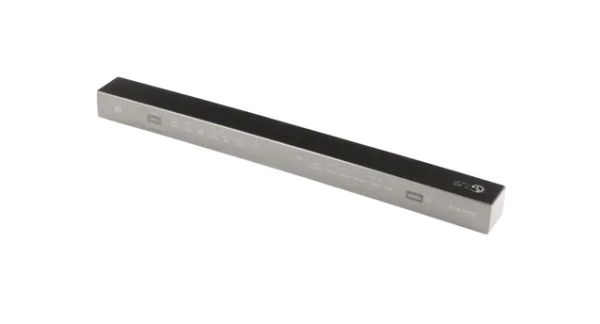
LG AGL75172631 Control Panel Assembly responsible for starting and controlling the dishwasher cycles. When buttons are pressed, the panel sends electrical signal to the main control board of the dishwasher and the latter initiates the proper wash, rinse, and dry cycles. It is a panel that enables users to set preferred parameters, observe the progress of the cycle, and be informed of any errors. This leads to the possibility of controlling cleaning cycles and providing a diagnostic feedback to ensure that the dishwasher is working properly and makes the user interface easy to understand.
What maintenance is required for the LG AGL75172631 Control Panel Assembly?
Verify that touch controls register selections accurately during cycle setup. Keep the interface dry and check for delayed response between inputs. Inspect harness connections behind the panel and shut off power before performing any diagnostic checks.
What are common issues with the LG AGL75172631 Control Panel Assembly?
Touch controls are responding slowly.
Cycle selections not activating.
Display freezes during operation.
Commands are ignored after input.
Installation Steps
Step1: Turn off power to the dishwasher unit.
Step2: Open the door and remove screws securing the control panel.
Step3: Detach the panel and disconnect ribbon cables.
Step4: Align the new control panel assembly in place.
Step5: Reconnect cables and secure with screws.
Step6: Restore power and verify all buttons respond correctly.
