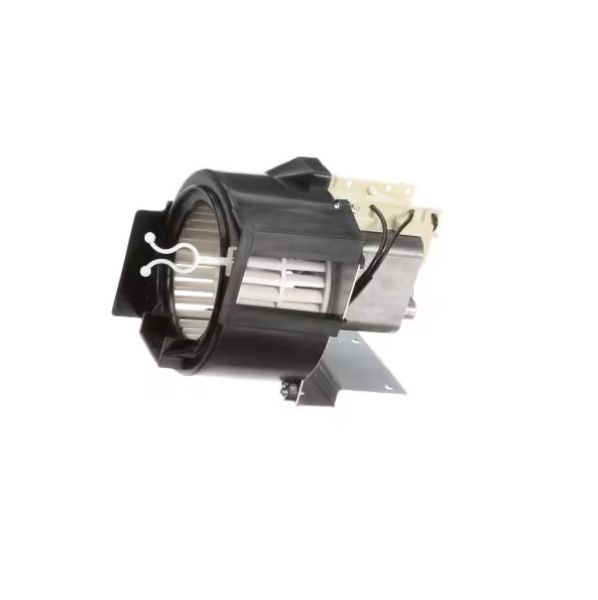
Panasonic A490W3570AP Microwave Fan Motor Right Side

Special Price $162.03 Regular Price $168.95
Out of stock
Available Quantity:   0
SKU
A490W3570AP

Product Description

The Panasonic A490W3570AP Fan Motor's Right Side is used to facilitate the cooling and proper ventilation of the microwave. Designed to blow air to ensure that the interior does not overheat. Works by taking heat and releasing it through the use of a ventilation system for proper functioning and safety. The motor does not exert the force on internal components, lowering the likelihood of damage and shortening the durability.
Stove & Oven Parts, Microwave Parts,
7"X7"X8"
Manufacturer
https://www.hnkparts.com/media/catalog/product/a/4/a490w3570ap-54881.jpg
Write Your Own Review
You're reviewing:Panasonic A490W3570AP Microwave Fan Motor Right Side
Your Rating
Customer Questions
What maintenance is required for the Panasonic A490W3570AP Fan Motor Right Side?

Regularly ensure the microwave fan motor area is free from grease and dust buildup that can affect airflow. Check for unusual noises or vibrations during operation. Avoid moisture exposure near electrical parts. Always unplug the microwave before inspecting or servicing components.

What are common issues with the Panasonic A490W3570AP Fan Motor Right Side?

  • Microwave fan not spinning or starting.
  • Unusual grinding or rattling noises.
  • Reduced airflow or overheating.
  • Intermittent fan operation.
  • Motor failure due to electrical faults.

Installation Steps

Step1: Disconnect power and unplug microwave before opening casing.

Step2: Remove outer cover screws and access rear fan compartment.

Step3: Note wiring positions and safely disconnect motor connectors carefully.

Step4: Remove old fan motor mounting screws.

Step5: Install new motor securely and reconnect wiring as noted.

Step6: Reassemble cover, tighten screws, restore power, test airflow operation.