
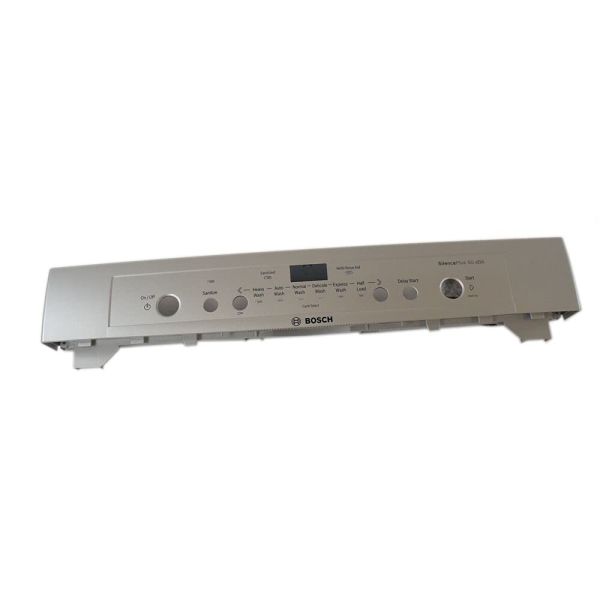
Bosch 00686800 Dishwasher Facia Panel

Special Price $103.61 Regular Price $125.80
In stock
Available Quantity:   39
SKU
00686800

Product Description

The Bosch 00686800 Dishwasher Facia Panel is designed to be operated through buttons that are mounted on the panel to enable the control of various wash cycles and settings. It is built to last and will provide a long service time through shielding internal parts while having a sleek look. The design provide durability and the layout of the controls are easy to access. It is designed to fit in dishwasher while maintaining the appearance of the utensils. This facia panel is durable, which is essential to the dishwashing process as it allow for consistent performance and simple operation.
Manufacturer

✓ This Product Replaces: 686800
https://www.hnkparts.com/media/catalog/product/6/8/686800_bosch_hnkparts.png
Manufacturer Name: BOSCH
Product Number: 686800
OEM Part Number: 686800
Product Description: Repl: 00686800

Choose the best Home Appliance parts and supplies from HnKParts!

  • Same Day Shipping

  • Best Quality And Best Price

  • Wide Range of Inventory

  • Best Customer Service

Have More Questions or Need Help to Place The Order?
Reach us at (866)723-0907 or [email protected]

Write Your Own Review
You're reviewing:Bosch 00686800 Dishwasher Facia Panel
Your Rating
Customer Questions
What maintenance is required for the Bosch 00686800 Dishwasher Facia Panel?

Regularly wipe the facia panel with a soft, damp cloth to remove detergent residue and kitchen grease. Avoid excessive moisture near the control area to protect internal circuits. Ensure the panel remains firmly secured to the dishwasher frame. Always disconnect power before performing any maintenance.

What are common issues with the Bosch 00686800 Dishwasher Facia Panel?

Common problems include unresponsive program buttons, display irregularities, or cycles not activating from the control area. These issues may occur when internal connectors loosen or electrical contacts degrade. Inspect the control section carefully. Disconnect the dishwasher from power before checking internal components.

Installation Steps

Step1: Turn off power to the dishwasher at the breaker.

Step2: Carefully detach the panel from the control area.

Step3: Align the new facia panel with the mounting holes.

Step4: Secure it with the original screws.

Step5: Ensure buttons and display align properly.

Step6: Restore power and test the control functions.