
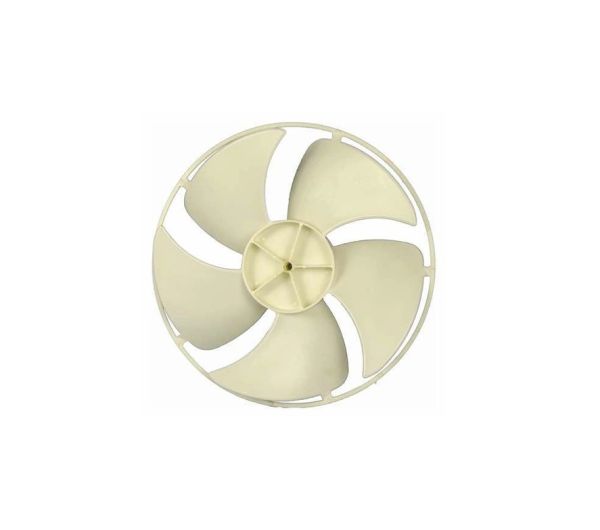
LG 5900A10011D Air Conditioner Axial Fan

Special Price $56.30 Regular Price $62.54
In stock
Available Quantity:   189
SKU
5900A10011D

Product Description

The LG 5900A10011D Air Conditioner Axial Fan delivers efficient airflow to maintain cool and comfortable conditions. It operates by sucking in air and then blowing it over the evaporator coils to achieve a heat exchange and cool the air. The fan has a fine build to improve its operation as well as reduce noise levels and power usage. This axial fan has a long life cycle and stable performance, ensuring the air conditioner’s proper functioning and prolonging its service life to provide a comfortable indoor climate.
Fan,
Manufacturer

✓ This Product Replaces: 5900A10011A
https://www.hnkparts.com/media/catalog/product/5/9/5900a10011d-83172.jpg
Manufacturer Name: LGE
Product Number: 5900A10011D
OEM Part Number: 5900A10011D
Product Description: Fan-Axial

Choose the best Home Appliance parts and supplies from HnKParts!

  • Same Day Shipping

  • Best Quality And Best Price

  • Wide Range of Inventory

  • Best Customer Service

Have More Questions or Need Help to Place The Order?
Reach us at (866)723-0907 or [email protected]

Write Your Own Review
You're reviewing:LG 5900A10011D Air Conditioner Axial Fan
Your Rating
Customer Questions
What maintenance is required for the LG 5900A10011D Axial Fan?

Regularly inspect and clean the fan blades to prevent dust buildup, which can reduce airflow and efficiency. Ensure the motor is lubricated if needed, check electrical connections, and secure all mounting hardware. Always disconnect air Conditioner power before servicing for safety.

What are common issues with the LG 5900A10011D Axial Fan?

  • Reduced airflow due to dirt or debris on blades.
  • Unusual noise or vibration from loose or misaligned components.
  • Fan motor failure or overheating.
  • Electrical connection faults causing intermittent operation.

Installation Steps

Step1: Disconnect power supply and remove AC cover.

Step2: Remove old axial fan carefully noting wiring.

Step3: Align new fan with mounting bracket.

Step4: Secure fan using screws and ensure stable fit.

Step5: Reconnect electrical wiring as per diagram.

Step6: Restore power and test airflow operation.