
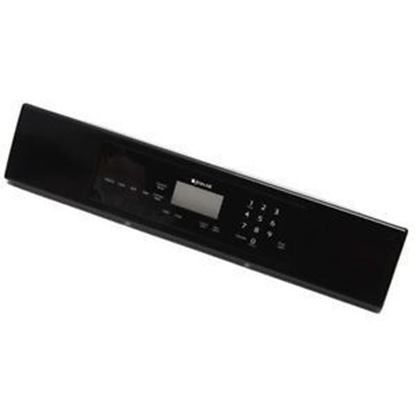
Whirlpool 5765M487-60 Oven Control Panel

Special Price $239.79 Regular Price $292.95
In stock
Available Quantity:   18
SKU
5765M487-60

Product Description

The Whirlpool 5765M487-60 Range Control Panel with Touchpad offers precise control over cooking functions with a sleek, user interface, this panel functions by electronically generating signals to control oven temperature, cook modes, and time around the clock. It is more efficient in meal preparation because of the clearly labeled touchpad controls that make it easier to operate. Its durable construction will last for a long time, and its modern design blends in well seamlessly with compatible manufacturing models to restore functionality and maintain optimum cooking performance.
Manufacturer

✓ This Product Replaces: 74008959, 74008957, 74008958, 5765M489-60, 5765M488-60
https://www.hnkparts.com/media/catalog/product/5/7/5765m487-60_whirlpool_hnkparts.jpg
Manufacturer Name: WHIRLPOOL
Product Number: 5765M487-60
OEM Part Number: 5765M487-60
Product Description: Panl-Cntrl Black

Choose the best Home Appliance parts and supplies from HnKParts!

  • Same Day Shipping

  • Best Quality And Best Price

  • Wide Range of Inventory

  • Best Customer Service

Have More Questions or Need Help to Place The Order?
Reach us at (866)723-0907 or [email protected]

Write Your Own Review
You're reviewing:Whirlpool 5765M487-60 Oven Control Panel
Your Rating
Customer Questions
What maintenance is required for the Whirlpool 5765M487-60 Control Panel?

Keep the oven control panel clean by wiping it gently with a soft, damp cloth and avoiding harsh chemicals. Ensure the panel stays dry to prevent electrical issues. Regularly check for unresponsive buttons or display errors. Always disconnect power before cleaning for safety.

What are common issues with the Whirlpool 5765M487-60 Control Panel?

  • Unresponsive or stuck buttons.
  • Display not lighting up or flickering.
  • Incorrect temperature or setting input response.
  • Control panel not communicating with oven functions.
  • Error codes appearing on the display.

Installation Steps

Step1: Disconnect power to the oven at the circuit breaker before servicing.

Step2: Remove the screws securing the control panel trim and carefully access the control area.

Step3: Disconnect the ribbon cable and wiring connectors from the existing control panel.

Step4: Remove any mounting screws or clips and detach the old panel.

Step5: Position the new control panel, secure it, and reconnect all electrical connections.

Step6: Reassemble the control console, restore power, and verify that all display and control functions operate correctly.