
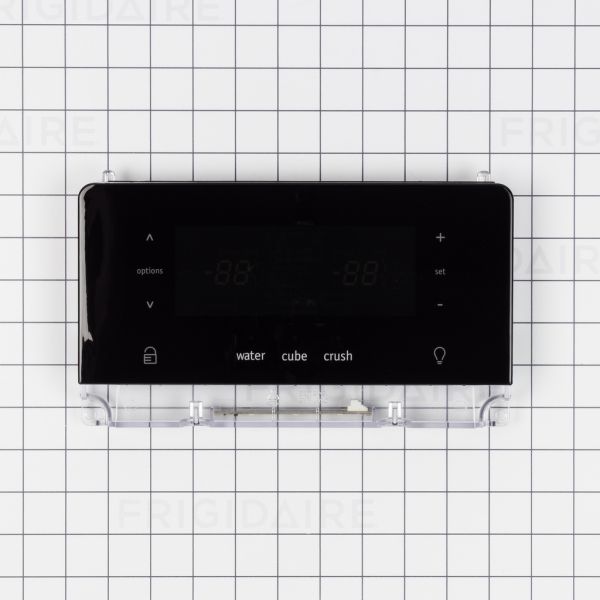
Frigidaire 5304527932 Refrigerator User Interface Assembly Black

Special Price $183.54 Regular Price $245.17
In stock
Available Quantity:   67
SKU
5304527932

Product Description

The Frigidaire 5304527932 User Interface Assembly Black is the main control panel, which allows users to manage and personalize the main functions of the refrigerator. This replacement part is the digital interface of temperature settings, lighting, and mode selections, which ensures that the user's appliance is running at its most efficient level.
Manufacturer

✓ This Product Replaces: 242058233
https://www.hnkparts.com/media/catalog/product/5/3/5304527932_frigidaire_hnkparts.png
Manufacturer Name: FRIGIDAIRE
Product Number: 5304527932
OEM Part Number: 5304527932
Product Description: User Interface Assy-Black

Choose the best Home Appliance parts and supplies from HnKParts!

  • Same Day Shipping

  • Best Quality And Best Price

  • Wide Range of Inventory

  • Best Customer Service

Have More Questions or Need Help to Place The Order?
Reach us at (866)723-0907 or [email protected]

Write Your Own Review
You're reviewing:Frigidaire 5304527932 Refrigerator User Interface Assembly Black
Your Rating
Customer Questions
What maintenance is required for the Frigidaire 5304527932 User Interface Assembly?

Keep the interface surface clean using a soft, dry cloth to maintain button responsiveness. Avoid excessive pressure on touch controls to prevent internal damage. Check for moisture around the panel edges. Ensure stable power supply to support consistent display and input performance.

What are common issues with the Frigidaire 5304527932 User Interface Assembly?

  • Display not responding to inputs.
  • Buttons failing to register presses.
  • Screen flickering intermittently.
  • Incorrect temperature settings showing.

Installation Steps

Step1: Unplug the refrigerator to ensure safe handling.

Step2: Remove screws securing the existing user interface panel.

Step3: Gently disconnect the ribbon cable from the old assembly.

Step4: Connect the cable to the new interface and position it correctly.

Step5: Secure the panel and reconnect power to verify display functions.