
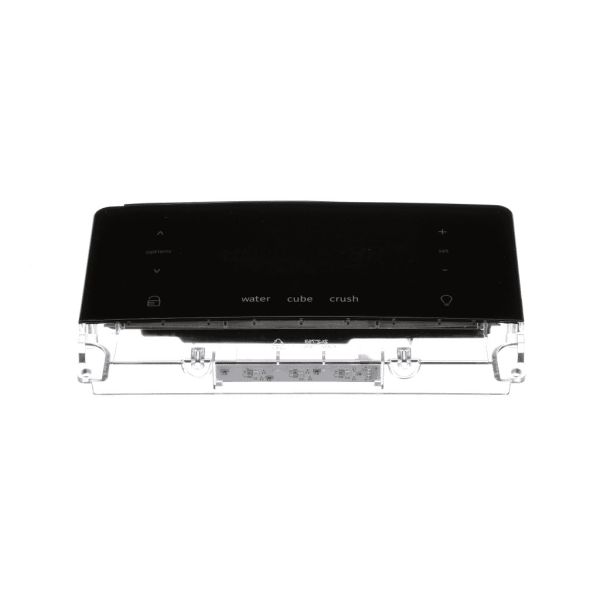
Frigidaire 5304527931 Refrigerator Dispenser User Interface Assembly Black

Special Price $135.24 Regular Price $178.24
In stock
Available Quantity:   154
SKU
5304527931

Product Description

The Frigidaire 5304527931 Refrigerator Dispenser User Interface Assembly part replaces the damaged or defective dispenser control panel for the smooth functioning of water and ice dispensing buttons. It has a touch screen that enables the user to easily choose the preferred water and ice option. This part assists in rectifying faulty dispensers to enhance functionality and ease of use during the day. It improves the general outlook, guaranteeing that the appliance remains fit for its use as required by the user.
Manufacturer

✓ This Product Replaces: 242058232
https://www.hnkparts.com/media/catalog/product/5/3/5304527931-42454.jpg
Manufacturer Name: FRIGIDAIRE
Product Number: 5304527931
OEM Part Number: 5304527931
Product Description: User Interface,Assembly,Black

Choose the best Home Appliance parts and supplies from HnKParts!

  • Same Day Shipping

  • Best Quality And Best Price

  • Wide Range of Inventory

  • Best Customer Service

Have More Questions or Need Help to Place The Order?
Reach us at (866)723-0907 or [email protected]

Write Your Own Review
You're reviewing:Frigidaire 5304527931 Refrigerator Dispenser User Interface Assembly Black
Your Rating
Customer Questions
What maintenance is required for the Frigidaire 5304527931 Dispenser User Interface Assembly?

Wipe the interface surface gently with a soft cloth to remove fingerprints and residue. Keep moisture away from the control area. Maintaining a clean panel helps ensure clear touch response and accurate selection of dispensing functions.

What are common issues with the Frigidaire 5304527931 Dispenser User Interface Assembly?

  • Touch controls respond inconsistently.
  • Display icons appear dim or unclear.
  • Selections change without input.
  • Panel stops recognizing touch commands.

Installation Steps

Step1: Unplug the refrigerator for safety.

Step2: Remove the front dispenser cover or bezel.

Step3: Disconnect the wiring from the old interface assembly.

Step4: Install the new interface assembly and reconnect all wires.

Step5: Plug in and test the dispenser and touch function.