
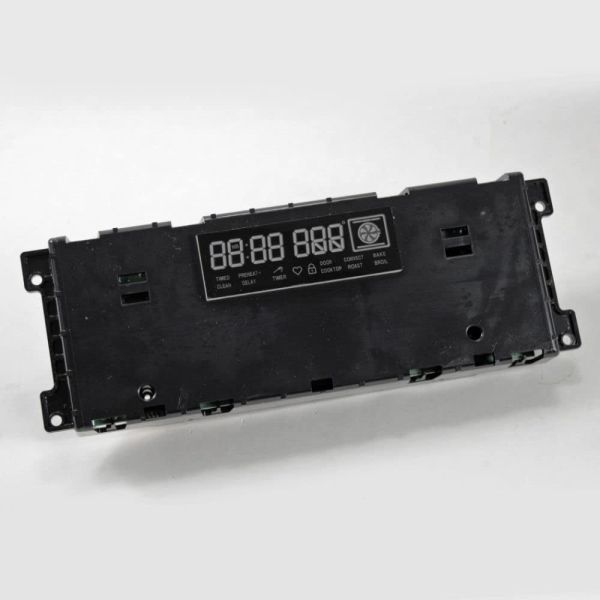
Frigidaire 5304503761 Oven Controller

Special Price $241.52 Regular Price $358.50
In stock
Available Quantity:   24
SKU
5304503761

Product Description

The Frigidaire 5304503761 Range Oven Controller works by accepting commands from the user interface and relaying them to the heating elements, regulating temperature. It receives commands, controls the flow of power and controls the changes in temperature for cooking. For durability, it improves power usage and comes with the feature of uniform baking or roasting. This component assists in maintaining better performance of the cookers, which is efficient in preparing meals.
Manufacturer

✓ This Product Replaces: 316560170, A01519111, 5304503990
https://www.hnkparts.com/media/catalog/product/5/3/5304503761_frigidaire_hnkparts.png
Manufacturer Name: FRIGIDAIRE
Product Number: 5304503761
OEM Part Number: 5304503761
Product Description: Controller

Choose the best Home Appliance parts and supplies from HnKParts!

  • Same Day Shipping

  • Best Quality And Best Price

  • Wide Range of Inventory

  • Best Customer Service

Have More Questions or Need Help to Place The Order?
Reach us at (866)723-0907 or [email protected]

Write Your Own Review
You're reviewing:Frigidaire 5304503761 Oven Controller
Your Rating
Customer Questions
What maintenance is required for the Frigidaire 5304503761 Controller?

Verify that temperature adjustments respond accurately during cooking cycles. Inspect wiring connectors for tight connections and stable signal transfer. Keep the controller area dry and free from grease exposure, and switch off electrical supply before performing any inspection.

What are common issues with the Frigidaire 5304503761 Controller?

  • Oven not responding to settings.
  • Temperature failing to stabilize.
  • Cooking programs not initiating.
  • Display showing incorrect values.

Installation Steps

Step1: Disconnect the oven from the electrical supply.

Step2: Remove screws to access the control panel section.

Step3: Disconnect wiring harnesses from the old controller.

Step4: Take out the existing controller from its mount.

Step5: Install the new controller and reconnect the wiring.

Step6: Reassemble the panel and restore power to test functions.