
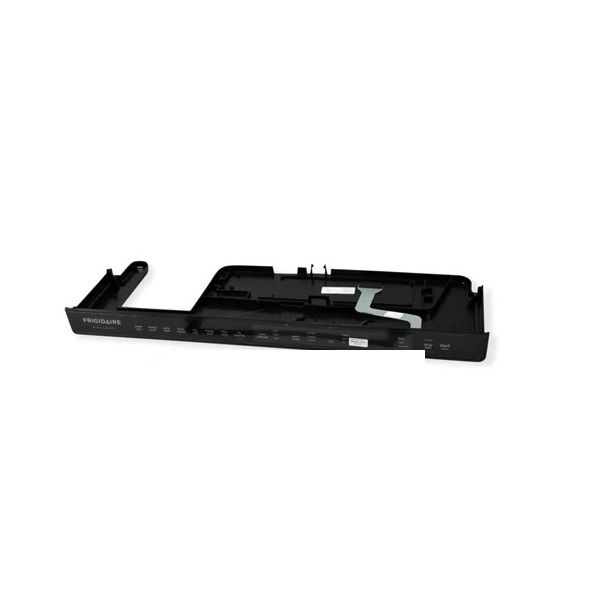
Frigidaire 5304496526 Dishwasher Touchpad and Control Panel

Special Price $236.56 Regular Price $282.95
In stock
Available Quantity:   19
SKU
5304496526

Product Description

The Frigidaire 5304496526 Dishwasher Console Assembly controls and operates selected settings and sends signals to the appliance’s internal circuit to start the chosen wash cycle. It works with the control board to regulate the flow of water and the temperature and time taken in a cycle. The design is sleek and the buttons are well labelled and easy to use and this makes the product durable. Replacing a faulty console is beneficial because it brings back the efficiency of cleaning.
Manufacturer

https://www.hnkparts.com/media/catalog/product/5/3/5304496526-13168.jpg
Manufacturer Name: FRIGIDAIRE
Product Number: 5304496526
OEM Part Number: 5304496526
Product Description: Console Assembly

Choose the best Home Appliance parts and supplies from HnKParts!

  • Same Day Shipping

  • Best Quality And Best Price

  • Wide Range of Inventory

  • Best Customer Service

Have More Questions or Need Help to Place The Order?
Reach us at (866)723-0907 or [email protected]

Write Your Own Review
You're reviewing:Frigidaire 5304496526 Dishwasher Touchpad and Control Panel
Your Rating
Customer Questions
What maintenance is required for the Frigidaire 5304496526 Touchpad and Control Panel?

Regularly wipe the dishwasher touchpad and control panel with a soft, damp cloth to remove grease and residue. Avoid harsh chemicals that may damage the surface. Ensure the panel stays dry to prevent electrical issues. Periodically check for unresponsive buttons or demage.

What are common issues with the Frigidaire 5304496526 Touchpad and Control Panel?

  • Unresponsive or delayed button inputs.
  • Display not lighting up or flickering.
  • Certain functions not activating.
  • Control panel not communicating with dishwasher.
  • Error codes appearing intermittently.

Installation Steps

Step1: Disconnect power to the dishwasher before starting the repair.

Step2: Open the dishwasher door and remove the screws securing the inner door panel.

Step3: Separate the control panel area and disconnect the wiring harnesses carefully.

Step4: Remove the old touchpad and control panel assembly from the door.

Step5: Install the new assembly and reconnect all wiring securely.

Step6: Reassemble the door panel, restore power, and test all touchpad and control functions.