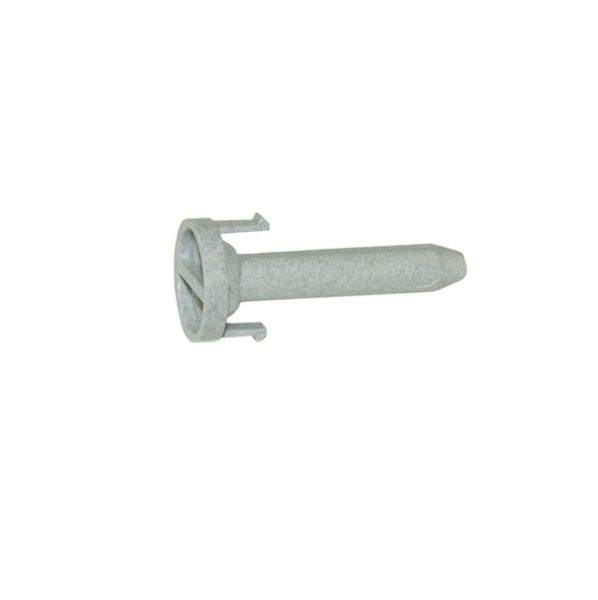
Fisher & Paykel 525010 Dishwasher Door Pin

$16.82
In stock
Available Quantity:   7
SKU
525010

Product Description

PIN DOOR
Manufacturer
✓ This Product Replaces: 524781
https://www.hnkparts.com/media/catalog/productno_selection

This Part Fits the Following Models (141)

Fisher & Paykel DD24DHTI6-88530A Dishwasher Fisher & Paykel DD603M-88431 Dishwasher Fisher & Paykel DD603MFC Dishwasher Fisher & Paykel DS605ZWFPUS-88463-A Dishwasher Fisher & Paykel DD603I-88271 Dishwasher Fisher & Paykel DD602 Dishwasher Fisher & Paykel DD602I Dishwasher Fisher & Paykel DD603IH Dishwasher Fisher & Paykel DD603IH-88425 Dishwasher Fisher & Paykel DD603M Dishwasher Fisher & Paykel DS603H-88444-B Dishwasher Fisher & Paykel DS601V2-87549 Dishwasher Fisher & Paykel DS601V2-87551 Dishwasher Fisher & Paykel DD24DDFX6-88532A Dishwasher Fisher & Paykel DD24DDFX6V2-88610A Dishwasher
Showing 1-15 of 141
Manufacturer Name: FISHER & PAYKEL3
Product Number: 524781
OEM Part Number: 524781
Product Description: Repl: 525010

Choose the best Home Appliance parts and supplies from HnKParts!

  • Same Day Shipping

  • Best Quality And Best Price

  • Wide Range of Inventory

  • Best Customer Service

Have More Questions or Need Help to Place The Order?
Reach us at (866)723-0907 or [email protected]

Write Your Own Review
You're reviewing:Fisher & Paykel 525010 Dishwasher Door Pin
Your Rating
Customer Questions
No Questions

Installation Steps

Step 1: The appliance should be disconnected from the electrical outlet.

Step 2: The screws that secure the appliance's top cover should be taken out.

Step 3: The top cover should be elevated to access the control panel and find the PIN DOOR PCB.

Step 4: The wires linked to the PCB should be unplugged.

Step 5: The old PCB should be gently extracted from the appliance.

Step 6: The new PCB should be positioned in place and ensured it is securely fastened.

Step 7: The wires should be attached to the appropriate pins on the PCB.

Step 8: It should be verified that all connections are tight and all electronic components should be rechecked.

Step 9: The top cover of the appliance should be fastened using the screws.

Step 10: The appliance should be reconnected to a power source.

Step 11: The appliance should be switched on and the functionality of the new PCB should be verified.

It is important to note that these instructions serve as general guidance and should always be utilized alongside the manufacturer's manual, when available.