
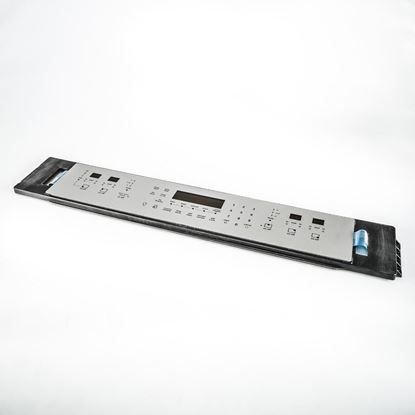
Frigidaire 316549104 Range Membrane

Special Price $361.62 Regular Price $434.69
Out of stock
Available Quantity:   0
SKU
316549104

Product Description

The Frigidaire 316549104 Range Touch Control Membrane functions as an interface that transforms inputs into electronic signals to modify temperature and time settings as well as other features. The part allows them to control their cooking functions through a smooth touch control interface. It enables precise control which speeds up cooking time and simplifies interface operations.
Manufacturer

https://www.hnkparts.com/media/catalog/product/3/1/316549104_frigidaire_hnkparts.jpg
Manufacturer Name: FRIGIDAIRE
Product Number: 316549104
OEM Part Number: 316549104
Product Description: Membrane

Choose the best Home Appliance parts and supplies from HnKParts!

  • Same Day Shipping

  • Best Quality And Best Price

  • Wide Range of Inventory

  • Best Customer Service

Have More Questions or Need Help to Place The Order?
Reach us at (866)723-0907 or [email protected]

Write Your Own Review
You're reviewing:Frigidaire 316549104 Range Membrane
Your Rating
Customer Questions
What maintenance is required for the Frigidaire 316549104 Membrane?

Regularly inspect the range membrane keypad for wear, moisture intrusion, or unresponsive keys. Clean the surface with a soft, slightly damp cloth and avoid abrasive cleaners. Keep connections secure and disconnect power before servicing to ensure safe handling.

What are common issues with the Frigidaire 316549104 Membrane?

  • Buttons not registering commands.
  • Cracked or worn membrane surface.
  • Intermittent control panel operation.
  • Electrical signal failure between membrane and control board.

Installation Steps

Step1: Turn off power to the range at breaker to avoid electrical shock before servicing.

Step2: Remove control panel screws and carefully detach the old membrane overlay from the front panel.

Step3: Disconnect ribbon cable from control board gently, avoiding damage to connectors.

Step4: Align new membrane and reconnect ribbon cable securely, ensuring proper alignment.

Step5: Reassemble panel, restore power, test all touch functions carefully for proper operation.