The store will not work correctly in the case when cookies are disabled.
We collect user information to provide a better user experience and protect the security of our website. By continuing to use our website, you acknowledge the use of cookies.
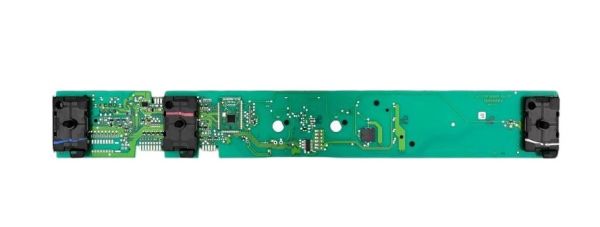
The Speed Queen 204064P Washer Control Full Panel Hybrid 4-Position controls and coordinates the washing functions of the appliance. It operates by taking user inputs and transmitting signals to control cycles, settings, and operational commands. It is placed on the front control panel of the washer, firmly fixed on the inside housing, and wired and connected with other parts, so that it can send the correct signals, maintain the connections.
What maintenance is required for the Speed Queen 204064P Control Panel?
Keep the washer control panel clean and dry by wiping it with a soft, damp cloth to avoid dirt buildup. Avoid excessive moisture exposure. Periodically check connections for secure fitting. Disconnect power before servicing to avoid electrical hazards.
What are common issues with the Speed Queen 204064P Control Panel?
Unresponsive buttons or inconsistent input detection.
Display malfunction or partial illumination failure.
Control panel not powering on.
Incorrect cycle selection or switching issues.
Intermittent communication with washer components.
Installation Steps
Step1: Disconnect power and water supply to washer.
Step2: Remove top panel or console screws and lift old control panel.
Step3: Label and disconnect wiring harness carefully for correct reconnection.
Step4: Install new control panel and reconnect wiring harness securely.
Step5: Secure panel with screws and reassemble console.
Step6: Restore power and test all cycle settings for proper operation.
Step7: Ensure safety check and avoid touching live terminals during installation.