The store will not work correctly in the case when cookies are disabled.
We collect user information to provide a better user experience and protect the security of our website. By continuing to use our website, you acknowledge the use of cookies.
Observance of Independence day July 4th we are closed [No shipping's and deliveries ] on 07/03/2026, Orders received after 3.00pm CST on 07/02/2026 will be shipping out on Monday 07/06/2026
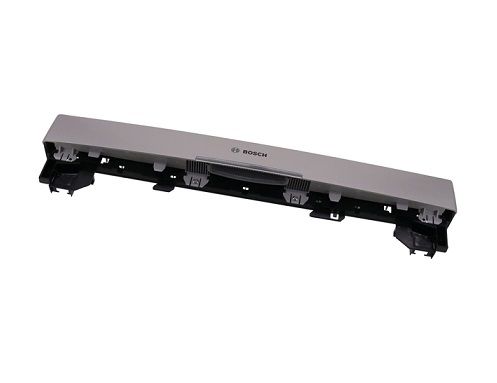
The Bosch 20001474 Facia Panel is used to hold the control buttons and the display to choose the wash cycles and settings simply in the dishwasher. Operates in harmony with the dishwasher’s internal system to relay commands for proper functioning. Designed to ensure longevity and has a classy and elegant design. Improving the usability, increasing the efficiency of the appliance, and aesthetic value. This panel is simple to install and serves the purpose of maintaining the dishwasher and making the process of washing simple.
What maintenance is required for the Bosch 20001474 Facia Panel?
Wipe the facia panel with a soft, damp cloth and avoid harsh chemicals. Check buttons and indicators for responsiveness. Inspect mounting clips and screws periodically to ensure the panel remains flush and communicates properly with the internal control system.
What are common issues with the Bosch 20001474 Facia Panel?
Buttons not responding.
Program selections ignored.
Control panel misalignment.
Buttons sticking after extended cycles.
Installation Steps
Step1: Turn off power to the dishwasher at the breaker for safety.
Step2: Open the dishwasher door and remove the existing facia panel.
Step3: Align the new facia panel with the door and mounting points.
Step4: Secure the panel with screws, ensuring it sits flush.
Step5: Close the door and restore power, testing proper door operation.