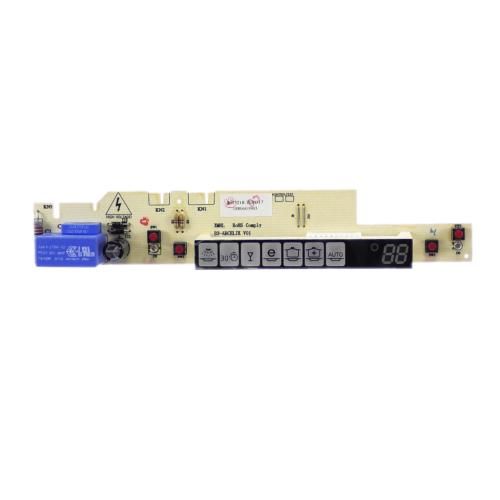
Blomberg 1880603905 Dishwasher Display Card Group

Special Price $28.82 Regular Price $28.95
In stock
Available Quantity:   1
SKU
1880603905

Product Description

The Blomberg 1880603905 Dishwasher Display Card Group is designed to provide smooth functioning of the dishwasher by relaying commands and providing information on the cycles. It receives inputs from the user, interacts with the other parts of the system, and refreshes the display. This is done by sending signals to the control board which in turn switches on the required wash settings and also monitors the progress.
9"X4"X2"
Manufacturer
https://www.hnkparts.com/media/catalog/product/1/8/1880603905-blomberg-hnkparts-1.jpg
Write Your Own Review
You're reviewing:Blomberg 1880603905 Dishwasher Display Card Group
Your Rating
Customer Questions
What maintenance is required for the Blomberg 1880603905 Display Card Group?

Regularly inspect the dishwasher display card connections for dust, moisture, or loose wiring and ensure all connectors are firmly seated. Avoid exposure to excessive humidity or power surges by maintaining proper sealing and electrical protection. Cleaning should be done gently with a dry, anti-static cloth to prevent damage. Proper handling during servicing supports to ensure consistent display performance and prevents electrical faults.

What are common issues with the Blomberg 1880603905 Display Card Group?

  • Dishwasher display not powering on or intermittent operation.
  • Unresponsive or flickering screen.
  • Communication errors with the main control board.
  • Corroded or loose connectors causing signal loss.
  • Partial or missing display segments during operation.

Installation Steps

Step1: Disconnect Dishwasher power supply for safety.

Step2: Open dishwasher control panel carefully.

Step3: Remove old display card and note wiring.

Step4: Install new card ensuring connectors align.

Step5: Secure panel and restore power; test display.

Step6: Ensure mains power is off before servicing to prevent electric shock.