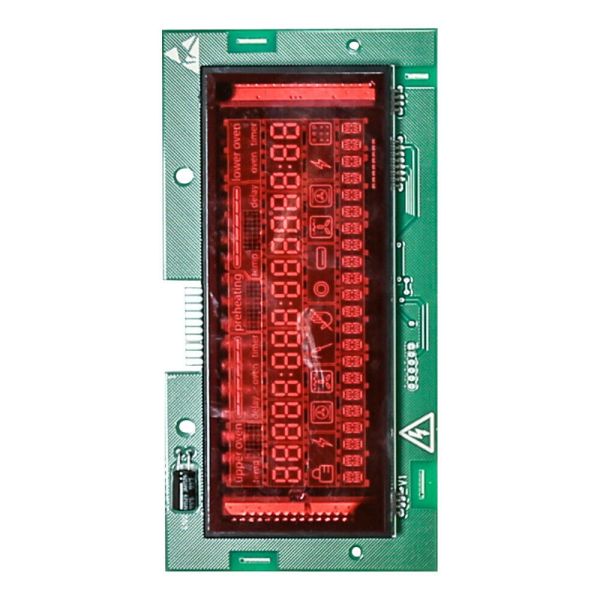
The Bosch 12029207 Display Module is used to control to show the temperature, time, and the different modes of cooking for simple use in the range oven. Operates by the inputs to the control system of the oven and enables simple control and monitoring of the cooking process. With the use of touch or button control. The module helps in displaying the correct readings and enhances the usability, and functionality of the range.
Step 1: All power sources should be disconnected from the appliance. It should ensure that it is unplugged from the socket and the circuit breaker is switched off.
Step 2: The screws that secure the front panel should be taken out. The panel should be carefully pulled away to reveal the display module.
Step 3: The wires linked to the rear of the module should be detached.
Step 4: The module should be elevated upward and pulled away to extract it.
Step 5: The package containing the replacement Bosch 12029207 display module should be opened and the wires should be attached to the back of the module.
Step 6: The module should be reinserted into its original position and pressed securely in place.
Step 7: The new module should be fastened by reinstalling the screws that were previously removed.
Step 8: Power should be restored to the appliance, it should be plugged back into the outlet, and the circuit breaker should be turned on.
Step 9: The module's functionality should be verified by powering on the appliance and checking that the display operates correctly.
Step 10: If all functions are operating as intended, the Bosch 12029207 display module has been effectively replaced.
It is important to note that these instructions are served as general guidance and should always be followed alongside the manufacturer's manual, if available.