
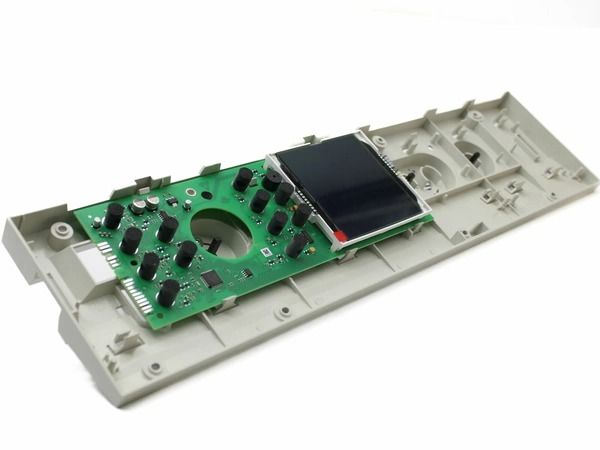
Bosch 00686560 Range Oven Interface

Special Price $599.51 Regular Price $835.38
In stock
Available Quantity:   2
SKU
00686560

Product Description

The Bosch 00686560 Range Oven Interface is designed to function by accepting inputs from the control panel and relaying signals to control heat, cooking options, and time settings. This makes the communication between the user and the appliance accurate and efficient making the appliance easy to use. It is compatible with selected models and has a touch system and digital display for easy setting of the machine. The product is built to last and is easy to use due to the design of the product. This interface provides an effective performance and improved usability to ensure that the food is cooked uniformly and the kitchen is more efficient.
Manufacturer

✓ This Product Replaces: 665885, 681274, 686560
https://www.hnkparts.com/media/catalog/product/6/8/686560_bosch_hnkparts_1.png
Manufacturer Name: BOSCH
Product Number: 686560
OEM Part Number: 686560
Product Description: Repl: 00686560

Choose the best Home Appliance parts and supplies from HnKParts!

  • Same Day Shipping

  • Best Quality And Best Price

  • Wide Range of Inventory

  • Best Customer Service

Have More Questions or Need Help to Place The Order?
Reach us at (866)723-0907 or [email protected]

Write Your Own Review
You're reviewing:Bosch 00686560 Range Oven Interface
Your Rating
Customer Questions
What maintenance is required for the Bosch 00686560 Interface?

Regularly check that all connectors and ribbon cables are secure. Gently clean the surface with a soft, dry cloth. Test all buttons and display functions to ensure proper response. Inspect for signs of moisture or residue around controls.

What are common issues with the Bosch 00686560 Interface?

  • Display not responding.
  • Buttons unresponsive.
  • Error codes appearing.
  • Range functions not activating.

Installation Steps

Step1: Unplug the range to prevent electrical hazards.

Step2: Remove screws securing the existing control interface.

Step3: Carefully disconnect all wiring from the old interface.

Step4: Position the new interface in place.

Step5: Reconnect all wiring and fasten screws securely.

Step6: Restore power and test oven functions for proper operation.