
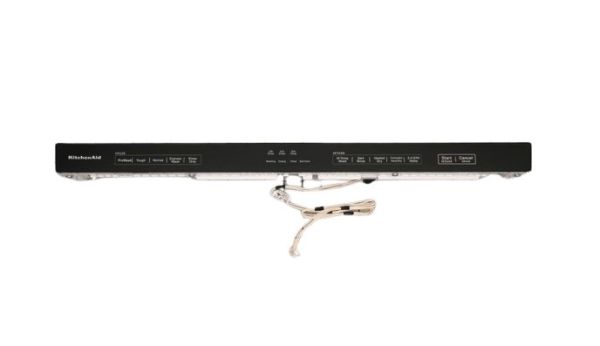
Whirlpool W11460947 Dishwasher Console W/Touchpad

Special Price $129.57 Regular Price $201.49
In stock
Available Quantity:   32
SKU
W11460947

Product Description

The Whirlpool W11460947 is the command center of your Whirlpool dishwasher, functioning as the console. This fundamental part houses the user interface elements that you use to operate the dishwasher. These parts often consist of buttons, knobs, and, in some cases, an LCD screen.  When you touch a button to pick a cycle, change parameters, or start the wash, the console sends these commands electronically.Imagine the console as your dishwasher's command center.  It sends your desired settings and commands to the dishwasher's internal control board. The control board then analyzes these signals and directs the dishwasher's various components, such as the wash pump and spray arms, to carry out the selected cycle. 

Console,
Manufacturer
https://www.hnkparts.com/media/catalog/product/w/1/w11460947-82741.jpg
Manufacturer Name: WHIRLPOOL
Product Number: W11460947
OEM Part Number: W11460947
Product Description: Console

Choose the best Home Appliance parts and supplies from HnKParts!

  • Same Day Shipping

  • Best Quality And Best Price

  • Wide Range of Inventory

  • Best Customer Service

Have More Questions or Need Help to Place The Order?
Reach us at (866)723-0907 or [email protected]

Write Your Own Review
You're reviewing:Whirlpool W11460947 Dishwasher Console W/Touchpad
Your Rating
Customer Questions
What maintenance is required for the Whirlpool W11460947 Console With Touchpad?

Maintain the dishwasher console by gently cleaning the touchpad surface with a soft, damp cloth to remove grease and residue. Avoid harsh chemicals to prevent damage to sensitive electronics. Regular inspection ensures responsive controls and prevents button malfunction. Always disconnect power before servicing.

What are common issues with the Whirlpool W11460947 Console With Touchpad?

  • Unresponsive or delayed touchpad inputs in dishwasher.
  • Display panel not lighting up or flickering.
  • Buttons registering incorrect selections.
  • Electrical connection faults causing intermittent operation.
  • Moisture intrusion affecting control responsiveness.

Installation Steps

Step1: Unplug appliance, turn off power at breaker, and shut water supply to dishwasher.

Step2: Open door, remove inner door panel screws, and carefully detach outer panel.

Step3: Disconnect old console ribbon cable and touchpad harness gently to avoid damage.

Step4: Align new console with mounting points and reconnect wiring firmly.

Step5: Reattach panel, secure screws, restore power, turn on water, and test cycles.
