
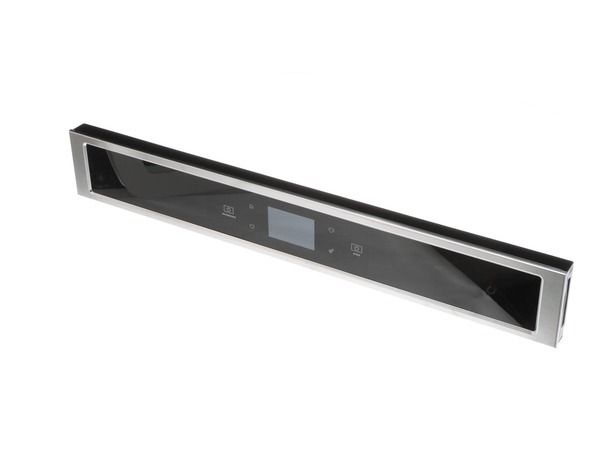
Whirlpool W11297728 Oven Control Panel

Special Price $377.98 Regular Price $475.93
In stock
Available Quantity:   39
SKU
W11297728

Product Description

The Whirlpool W11297728 Oven Control Panel controls all cooking functions to optimize meal preparation efficiency. The user interface panel accepts inputs that enable temperature changes and timer control, and program selection.
Manufacturer

https://www.hnkparts.com/media/catalog/product/w/1/w11297728.jpg
Manufacturer Name: WHIRLPOOL
Product Number: W11297728
OEM Part Number: W11297728
Product Description: Console+Core

Choose the best Home Appliance parts and supplies from HnKParts!

  • Same Day Shipping

  • Best Quality And Best Price

  • Wide Range of Inventory

  • Best Customer Service

Have More Questions or Need Help to Place The Order?
Reach us at (866)723-0907 or [email protected]

Write Your Own Review
You're reviewing:Whirlpool W11297728 Oven Control Panel
Your Rating
Customer Questions
What maintenance is required for the Whirlpool W11297728 Control Panel?

Clean the control panel surface with a soft cloth slightly dampened with mild cleaner to remove grease and cooking residue. Keep moisture away from electronic buttons and display areas. Avoid pressing keys with sharp objects. Disconnect power before removing the panel for any servicing.

What are common issues with the Whirlpool W11297728 Control Panel?

  • Chosen settings are not activated.
  • Display shows incorrect temperatures.
  • Touch areas skip inputs.
  • Timer is unable to activate.

Installation Steps

Step1: Disconnect the oven from the electrical power supply.

Step2: Remove screws securing the existing control panel on the range.

Step3: Carefully pull the panel forward and disconnect wiring connectors.

Step4: Remove the old control panel assembly completely.

Step5: Connect the wiring harnesses to the new control panel.

Step6: Align the panel with the mounting slots and secure with screws.

Step7: Restore power and test the oven controls for proper operation.