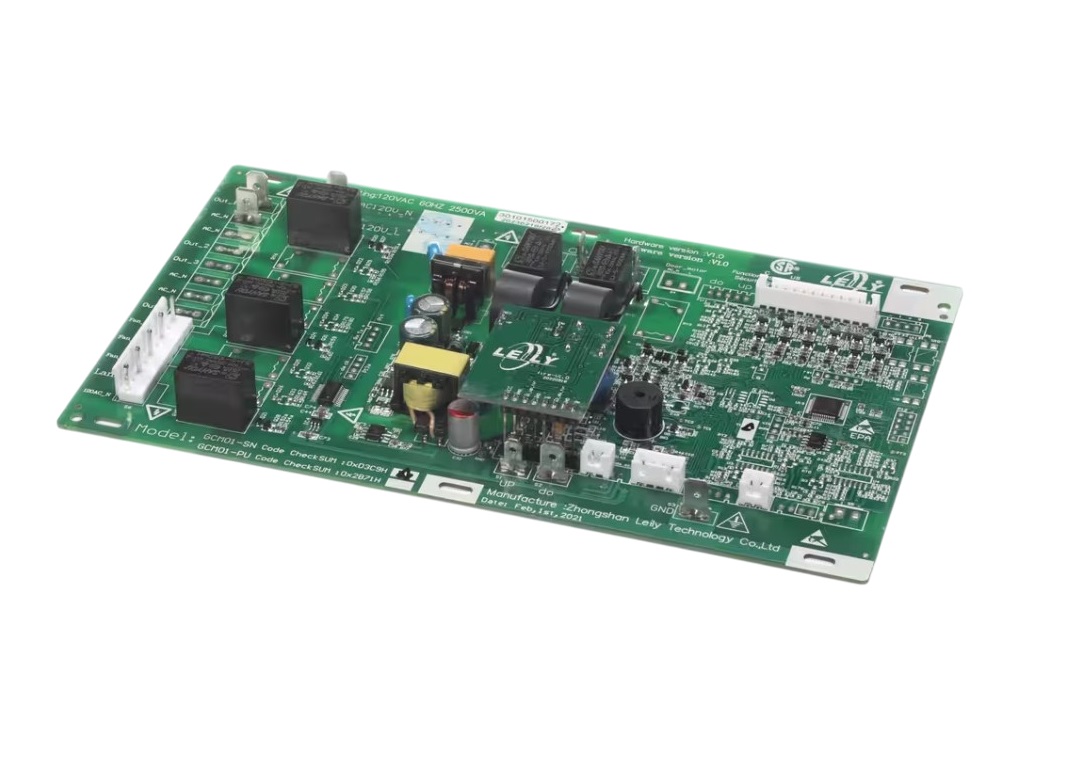
Magic Chef 30101500172 Range PCB MCSRG24S2
Description
Step1: Disconnect range power at breaker to ensure safety before servicing.
Step2: Remove rear panel carefully to access PCB compartment area.
Step3: Label and disconnect all wiring harnesses from old board.
Step4: Unscrew and remove faulty PCB from mounting bracket.
Step5: Install new control board and reconnect wiring securely firmly.
Step6: Reassemble panel restore power and test range operation fully cycle.
-
What maintenance is required for the Magic Chef 30101500172 PCB?
Ensure all connectors remain properly seated to maintain smooth signal transfer. Keep the surrounding area clean from dust or residue. Verify functions respond promptly and system operations remain consistent across repeated cycles.
-
What are common issues with the Magic Chef 30101500172 PCB?
- Functions activating unexpectedly.
- System not responding to input.
- Settings not storing properly.
- Operation pausing mid-cycle.
Customer Reviews
Write a Review
-
Efficient Operation
The new PCB fixed my control issues, all burners respond instantly now.
We strive to provide our customers with a hassle-free and efficient shopping experience. Our shipping policy ensures the timely delivery of your orders and complete customer satisfaction. View More
We are committed to ensuring your complete satisfaction with every purchase. We understand that circumstances may arise where you must return a product or request a refund. If for any reason you are not satisfied, you may return the item(s) according to the terms outlined below. View More
This Payment Policy outlines the terms and conditions governing all payments made for products purchased through our website. By making a purchase, you agree to be bound by this Payment Policy. View More