
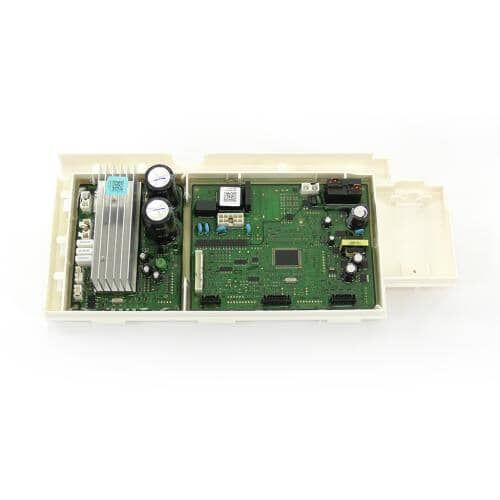
Samsung DC92-01982B Washer Electronic Control Board

Special Price $209.39 Regular Price $272.54
In stock
Available Quantity:   51
SKU
DC92-01982B

Product Description

The Samsung DC92-01982B Electronic Control Board controls the washing machine functions and helps to operate effectively. This circuit board controls the number of cycles, the amount of water, and the speed of the motor based on the information received from the sensors or the input and is designed to improve the reliability of the washing process, proper functioning, and minimize operational issues that may lead to inconsistency in the washing process and design is longevity.
Manufacturer

https://www.hnkparts.com/media/catalog/product/d/c/dc92-01982b_samsung_hnkparts.png
Manufacturer Name: Samsung
Product Number: DC92-01982B
OEM Part Number: DC92-01982B
Product Description: Pcb Kit

Choose the best Home Appliance parts and supplies from HNKParts!

  • Same Day Shipping

  • Best Quality And Best Price

  • Wide Range of Inventory

  • Best Customer Service

Have More Questions or Need Help to Place The Order?
Reach us at (866)723-0907 or [email protected]

Write Your Own Review
You're reviewing:Samsung DC92-01982B Washer Electronic Control Board
Your Rating
Customer Questions
What maintenance is required for the Samsung DC92-01982B Electronic Control Board?

Keep the board dry and free from detergent residue. Avoid spraying cleaning agents directly. Inspect connectors for corrosion. Ensure proper seating in the washer housing to maintain signal integrity and consistent washing performance.

What are common issues with the Samsung DC92-01982B Electronic Control Board?

  • Board fails to respond to cycle commands.
  • LED indicators are not working.
  • Water damage causes intermittent errors.
  • Washer stops mid-cycle unexpectedly.

Installation Steps

Step1: Unplug the washer for safety.

Step2: Remove the control panel to expose the electronic board.

Step3: Disconnect wiring carefully from the old control board.

Step4: Install the new board and reconnect all connectors.

Step5: Reattach the control panel securely.

Step6: Run a test cycle to verify proper operation.