
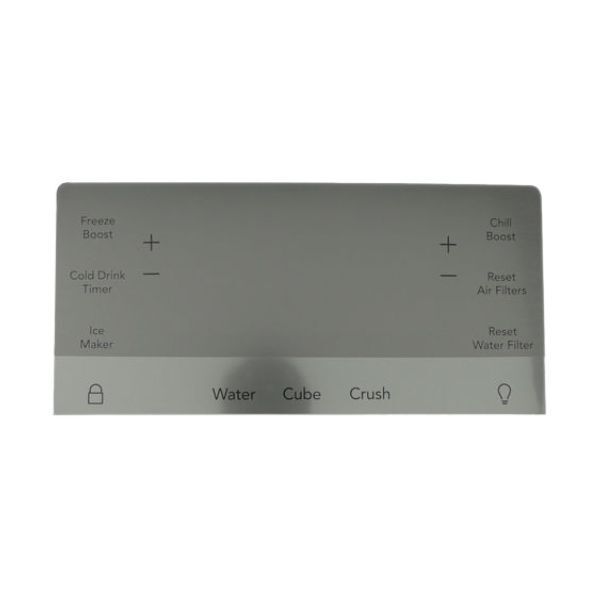
Frigidaire 5304527031 Refrigerator User Interface

Special Price $146.77 Regular Price $202.38
In stock
Available Quantity:   274
SKU
5304527031

Product Description

The Frigidaire 5304527031 Refrigerator-User Interface regulates and indicates major functions such as temperature adjustments, lighting and mode of operation. This electronic panel is linked to the main control board and reacts to the input of the user by sending commands that modify the internal systems of the appliance. It is designed to be used with Frigidaire models so it works properly and has easy access to functions.
Manufacturer

https://www.hnkparts.com/media/catalog/product/5/3/5304527031_frigidaire_hnkparts.png
Manufacturer Name: FRIGIDAIRE
Product Number: 5304527031
OEM Part Number: 5304527031
Product Description: User Interface

Choose the best Home Appliance parts and supplies from HnKParts!

  • Same Day Shipping

  • Best Quality And Best Price

  • Wide Range of Inventory

  • Best Customer Service

Have More Questions or Need Help to Place The Order?
Reach us at (866)723-0907 or [email protected]

Write Your Own Review
You're reviewing:Frigidaire 5304527031 Refrigerator User Interface
Your Rating
Customer Questions
What maintenance is required for the Frigidaire 5304527031 User Interface?

Keep the interface free of dust and moisture. Wipe gently with a soft cloth. Ensure all wiring remains securely connected. Operate the refrigerator normally to allow consistent communication between controls and cooling or ice-making components.

What are common issues with the Frigidaire 5304527031 User Interface?

  • Display flickers or stays blank.
  • Settings fail to register.
  • Temperature adjustments are unresponsive.
  • Ice and water dispenser functions fail.

Installation Steps

Step1: Unplug the refrigerator to ensure safe installation.

Step2: Open the control housing and remove the panel covering the interface board.

Step3: Disconnect the cable or wiring harness from the old interface.

Step4: Install the new user interface and reconnect the wiring securely.

Step5: Reassemble the panel, and confirm display and controls operate correctly.